

Shoutout to @Joseinnewworld for sliding in and grabbing 9 more #NFTs like it’s nothing 🔥 Always showing up, always raising the bar. Appreciate you, legend! #eCash $XEC #nftcollectors #CryptoMarket #Crypto pic.twitter.com/T0XBBCjd3g
— NFToa (@nftoa_) November 25, 2025
This random idea came about when my Flutter app worked perfectly fine in debug mode but kept encountering errors in release mode. It was too complicated to fix, especially with a looming deadline and the need to deliver the app to the client quickly. This made me reluctant to follow up, so I resorted to the quickest shortcut that allowed me to deliver the app immediately.
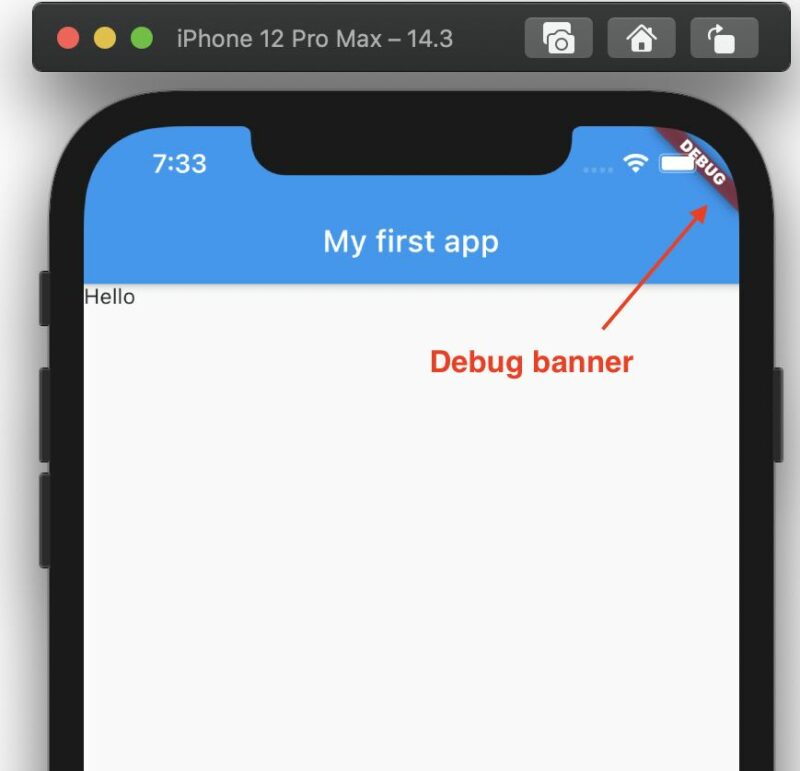
Eventually, I decided to use debug mode and simply remove the banner with this approach:
MaterialApp(
  debugShowCheckedModeBanner: false,
)
Done!